
Smart Forms & Workflow Automation
Smart Forms That Drive Accuracy and Efficiency
Easily create custom forms and daily reports—automated within your assignment workflow. Deploy instantly to mobile devices and streamline data capture for any program, regardless of its complexity.

Results You Can Expect
70%
Reduction in data entry
errors.
50%
Faster submission times
compared to paper forms.
90%
Consistency in standardized reporting
across producers and programs.
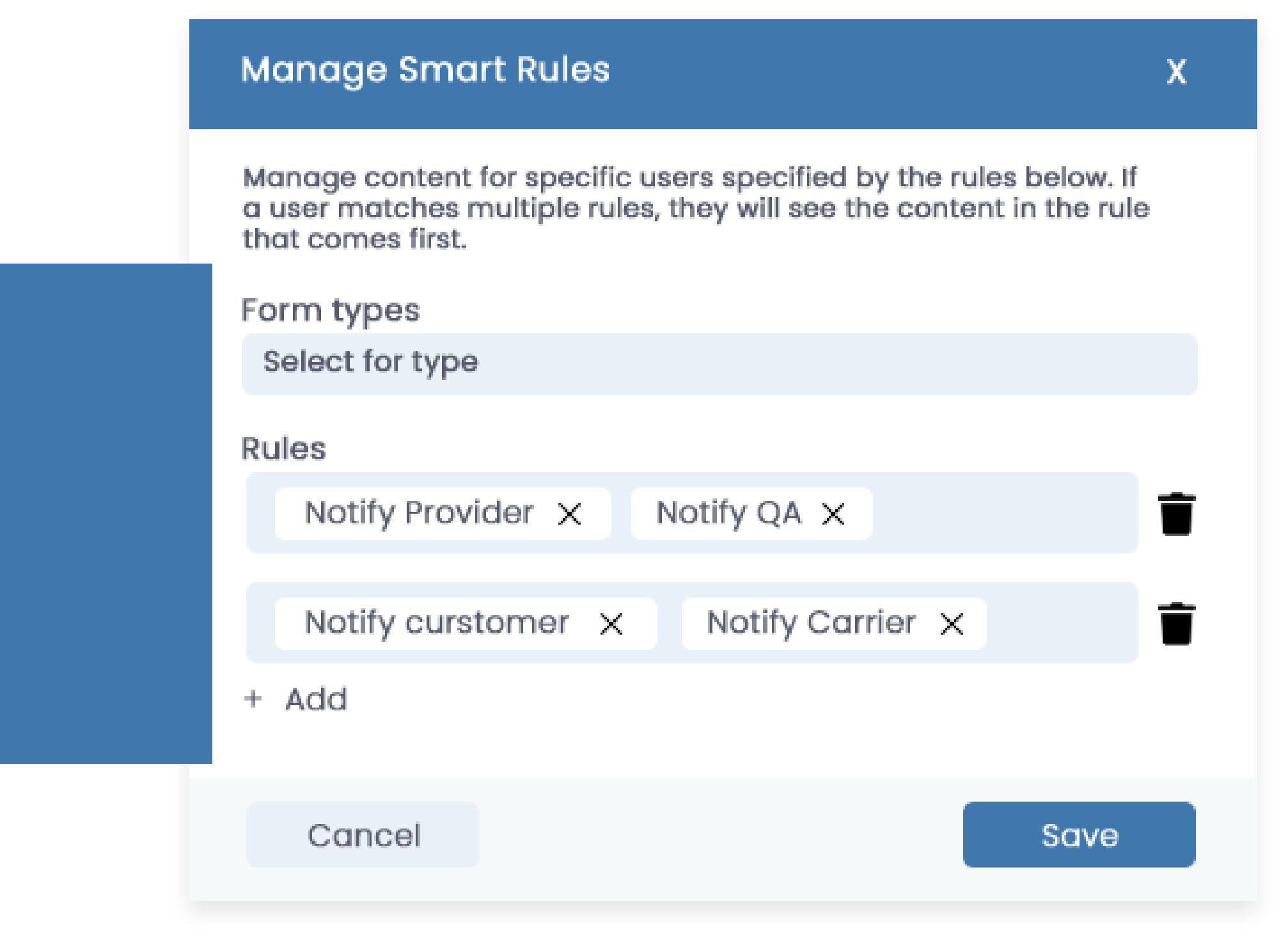
Smart Rules
Smart Forms are powered by configurable rules that adapt to your workflow automation. Service providers can set conditional logic that changes forms dynamically based on answers or job types. For example, a “roof inspection” form can automatically prompt for specific photo angles, while a “foundation inspection” requires soil or crack measurements. These smart rules ensure producers collect exactly what’s needed, improve compliance with carrier standards, and reduce follow-up requests.

Key Features
Dynamic Form Logic
Innovative Forms adapt to the job type: conditional fields display only what's needed, reducing clutter and making completion more straightforward.
Standardized Data Capture
Every assignment is consistent — required fields, GPS stamps, photo uploads, and time-stamped entries are enforced.
Auto Validation
Smart Forms check entries in real time — flagging missing fields, incorrect formats, or incomplete steps before submission.
Mobile-Optimized Design
Forms work seamlessly on phones and tablets. Large touch targets and offline capability ensure smooth use even with limited connectivity.
Multimedia Inputs
Attach photos, videos, notes, and documents directly within the form. Everything is tied to the correct assignment.
Secure Storage
All submitted forms are encrypted and stored securely. Providers can download, share, or reference them anytime.
Workflow Automation
Forms don’t just collect data—they trigger actions. Once a form is submitted, data can automatically route to the right program, generate notifications, update producer profiles, or feed directly into invoices and reports. This automation eliminates manual steps, speeds up processing, and ensures nothing falls through the cracks.


Benefits for service providers

Higher Data Quality Eliminate incomplete reports and missing information.
Faster Turnaround Reports are submitted instantly from the field, reducing delays.
Standardization All producers follow the same structure, ensuring uniformity across inspections.
Improved Compliance Built-in GPS stamps, time stamps, and required fields support carrier and regulatory requirements.
Lower Operational CostsReduce time spent on rework, manual data entry, and paper processes.
Client Confidence Deliver professional, consistent reports that strengthen your reputation.