


Data Integrity & Security

All tracking data is encrypted and stored by
industry standards.

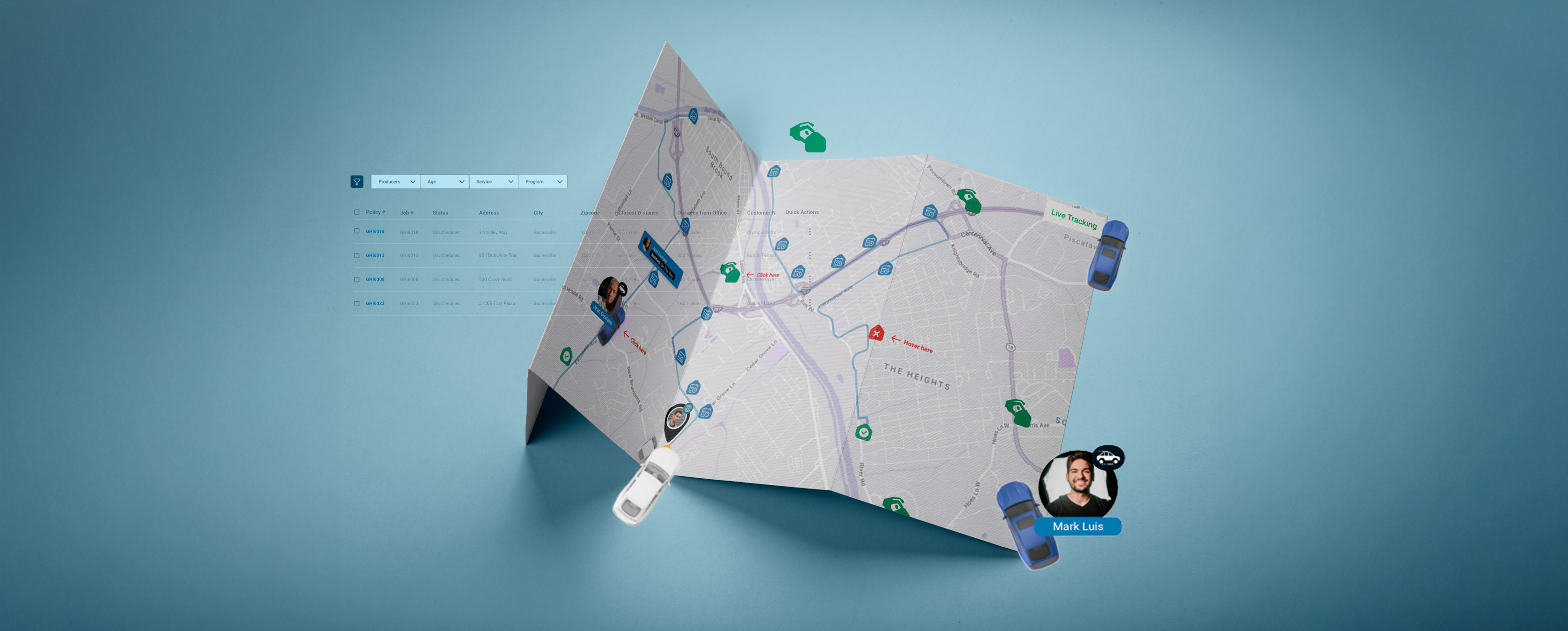
Live tracking map showing inspector vehicles, job locations, and an order list with filters

Real-Time Progress & Location
Monitoring for Every Inspection

Team working together on laptops around a shared table

For Carriers & Service Providers

On your dashboard, access the Live Tracking tab under each active assignment. From there, you can:
View all active inspections on a
dynamic map

Explore and browse all ongoing inspections displayed in real-time on an interactive map, allowing for easy navigation and detailed viewing of inspection locations and statuses.

See inspector status, location, and selected documentation

Each case is listed to access detailed information, including the current status of the assigned inspector, exact location, and selected documentation associated with the case.

Communicate directly with inspectors in real
time via in-platform messaging

Talk to inspectors instantly using the platform’s messaging system. This makes it easy to share questions, updates, or information quickly, keeping the inspection process smooth and simple.

Trigger automated follow-ups if the inspector
deviates from expected patterns

Initiate automated follow-up communications and actions when the inspector’s behavior or inspection patterns diverge from established or expected standards, ensuring prompt response and resolution.

Inspector in a hard hat holding a tablet outside a building

First Things First, Privacy

Our Live Tracking feature, part of the IDEnergy platform, gives clients real-time updates on inspections. Whether you're managing many inspectors across different locations or waiting for a single home inspection result, you'll get immediate updates on your device.

Homeowners can also use this feature to see when inspectors arrive, helping them prepare.

This keeps you informed about the progress, results, and any issues as they happen, so you can make quick decisions, coordinate better, and stay in control of the inspection process from start to finish.

Inspector Check-In Flow

The inspectors will conduct site inspections using their mobile platform, where they check in with geo-tagging, update their status in real-time on the IDEnergy dashboard, upload photos, write notes, and create files to document the inspection.

After completing the visit, they check out, and the system updates the status to complete while notifying the relevant teams, such as QA or underwnting.

Inspector in a safety vest and hard hat taking notes on a clipboard during site check-in
HOW IT WORKS

Live tracking module activation

GPS-verified Icon
GPS-verified

Verified check-ins and check-outs using GPS technology to ensure accuracy.

Live Map View Icon
Live Map View

A live map displays your inspectors’ locations, allowing you to see their whereabouts at all times.

Timestamped Icon
Timestamped

Timestamped inspection progress markers (e.g., Arrival, In Progress, Completed)

Mobile-triggered Icon
Mobile-triggered

Inspectors can quickly update tasks and inspections from their phones, making the process faster and easier.

Upload Tracking Icon
Upload Tracking

Photo and file upload tracking, linked to geolocation and timestamps.

No Show Icon
No Show

If an inspector misses an appointment, the client can reschedule right away without any trouble.